


Now, voice and video chats appear right in your browser. For ages, people have been asking for this on WhatsApp Web. Calls will work without needing your phone close by. Right away, some testers are getting access through an update. Slowly, others may start seeing it too. What once felt like a copy of the app now acts more independently—a small shift that changes how you connect.
Last thing you’d expect: WhatsApp Web just followed whatever happened on your phone. Until this moment. Calling always redirected you to the mobile or desktop app. With this update, the browser version starts to stand on its own.
Table of Contents
How Calling Works on WhatsApp Web
Using the new calling feature is simple. Open a one-on-one chat on WhatsApp Web, then click the voice or video call icon. The call starts right away. There is no phone approval step, and no extra setup is required once permissions are granted.
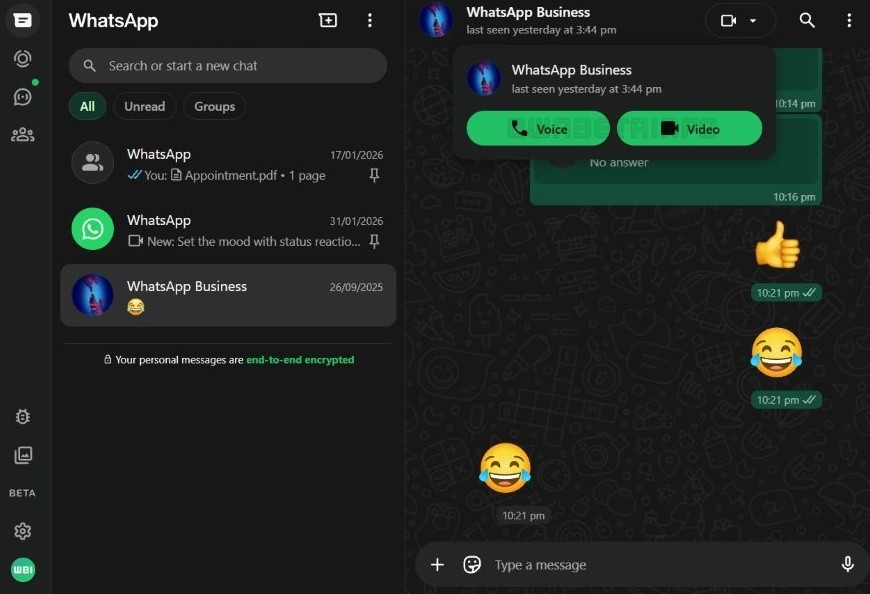
At this stage, calls only work in individual chats. Group calls are still being built. When they arrive, they are expected to support up to 32 people, matching what users already see on other platforms.
Matching the Windows App Experience
WhatsApp already allows voice and video calls in its Windows app. Group calls are also supported there. Bringing calling to WhatsApp Web helps align the experience across platforms.
This update is less about adding something new and more about fixing an uneven setup. Users can now choose the browser or the app without losing key features.
Privacy and Encryption Stay the Same
All calls made through WhatsApp Web use end-to-end encryption. This is the same level of protection used on mobile and desktop apps. Messages, voice, and video remain private between the people in the call.
Security does not take a back seat here. The feature adds convenience without changing how data is protected.
Screen Sharing Comes to the Browser
Along with calling, WhatsApp Web now supports screen sharing during video calls. This feature was already available on mobile and desktop apps, but not in the browser.
Screen sharing makes WhatsApp Web more useful for work chats, quick walkthroughs, and tech help. You can show files, settings, or live content without switching devices.
A Big Help for Low Power Devices
This update matters a lot for users who cannot install the desktop app. Older computers, lightweight systems, and Linux machines often struggle with official apps or do not support them at all.
With browser-based calling, all you need is a modern browser, a camera, and a microphone. That alone opens the door for many users who were previously locked out of calling.
WhatsApp Web Feels More Complete
WhatsApp has pushed several updates in recent months. These include better group tools, stronger account protection, and small but useful quality changes. Adding calling to the web version fits into that pattern.
While voice and video calling on Whats-App Web is still limited to testers, a wider release is likely soon. Once that happens, the web version will no longer feel like a backup option. It will be a full way to use WhatsApp on its own.